Time and absence management
Manage your team’s time, on and off
the clock
Track hours, manage time off, and connect it all to payroll. Spend less time chasing details and more time running your business.

Easy time
tracking
Simple
clock in/out
Time off
requests
Automatic
payroll sync
Anywhere
access
Why Wagepoint
From clock-in to payday, it all works together
Time tracking, time off, and payroll in one platform, so you can spend less time managing the details and more time running your business.
Less chasing
More time back.
Spend less time tracking down timesheets, following up on missing hours, and entering information by hand. Connect time tracking directly to payroll and cut down on admin each pay run.
Connected hours, more confident payroll
Bring recorded hours straight into payroll, helping reduce manual entry and the chance of errors. With your team’s time data connected to payroll, you can feel more confident about the numbers at payday.
Keep your team’s
time on track
Let employees clock in and out, request time off, and check their balances from their phone or computer. Keep hours and absences organized in one place, so you know where things stand before payday.
Time and absence features
Everything you need to track time,
all in one place
From clock-in to time off, keep your team’s time organized and ready for payroll.
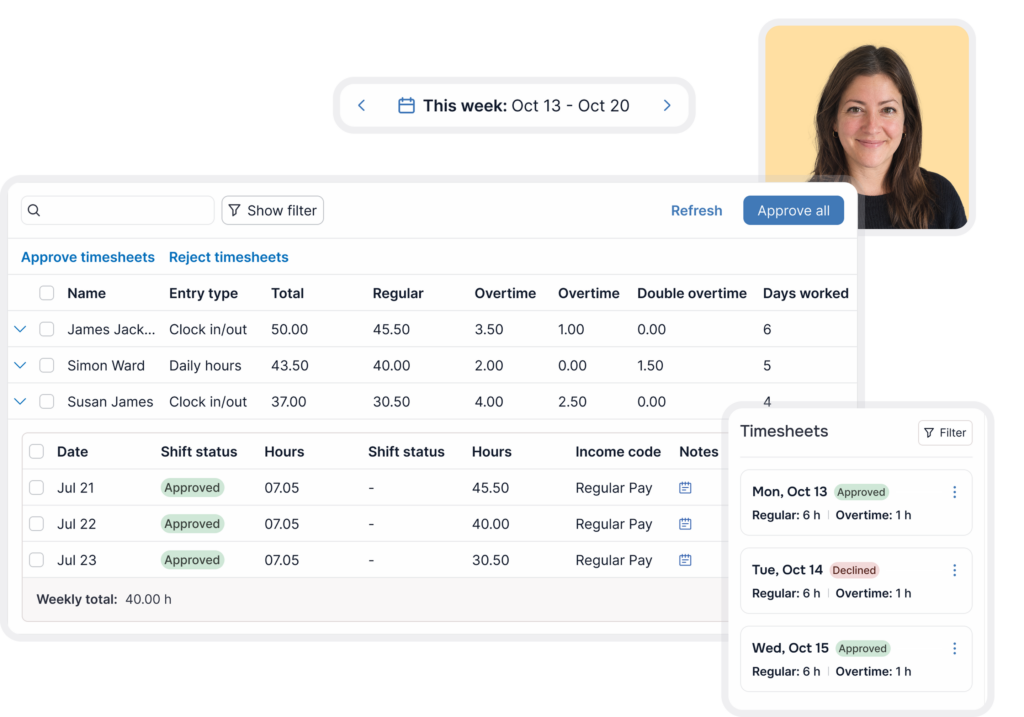
Timesheets
Keep employee hours organized and ready for payroll, without the spreadsheet shuffle.
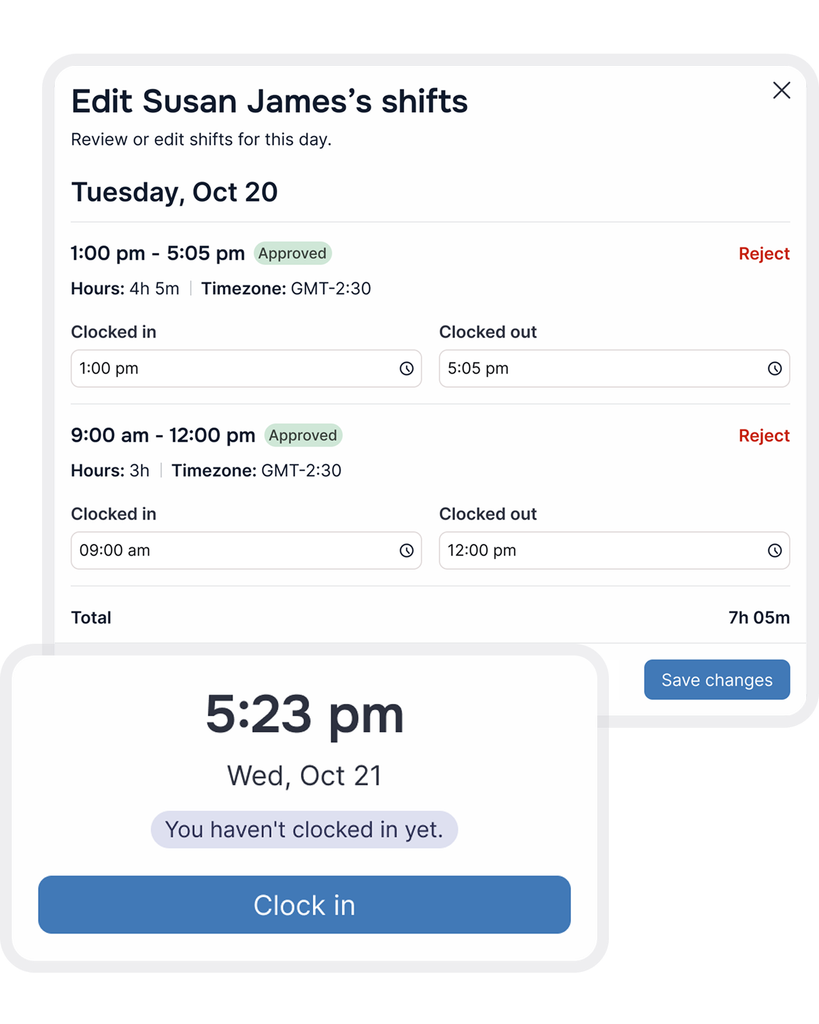
Clock in/out
Make it easy for your team to record their hours and keep time tracking simple.
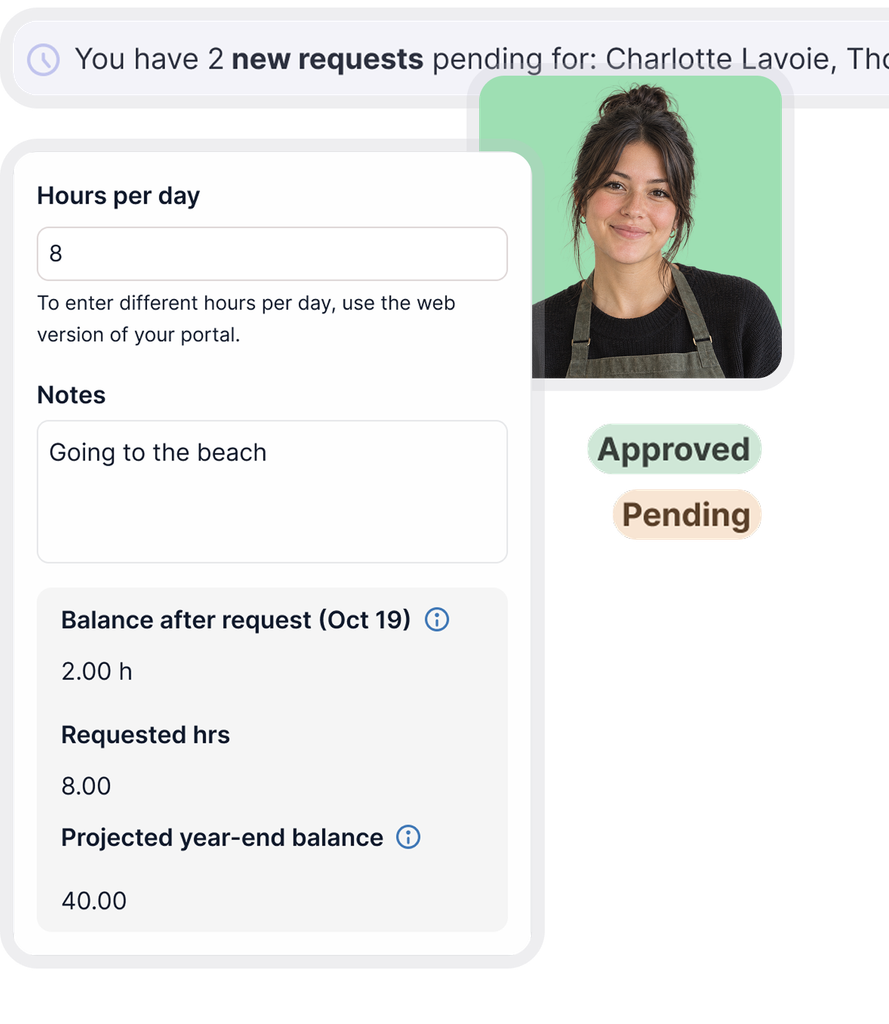
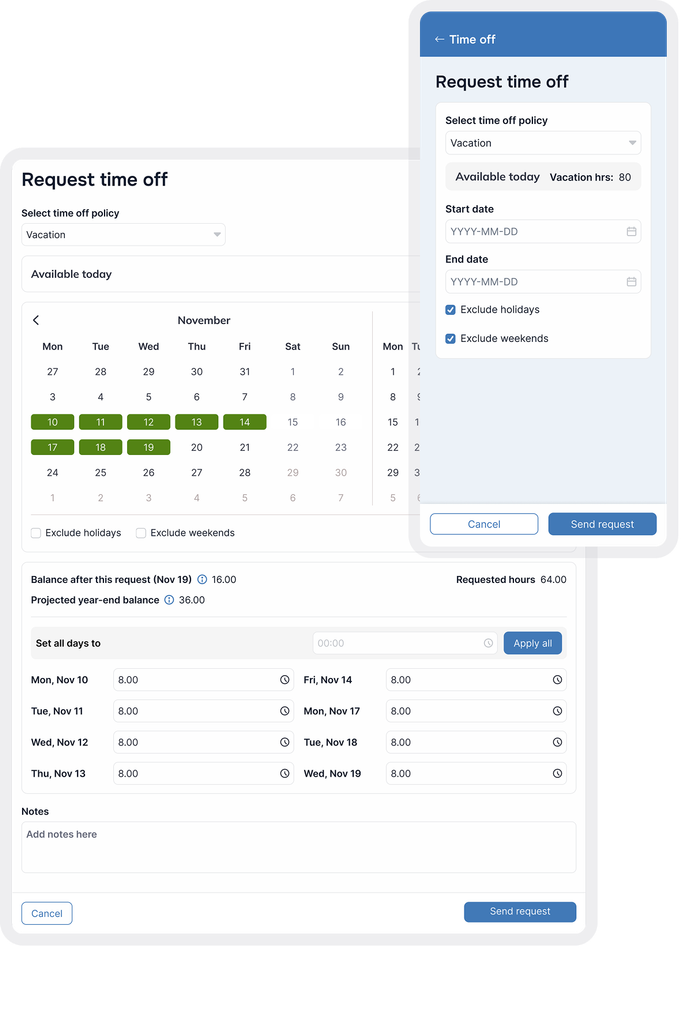
Time off requests
Give employees an easier way to request time off and help you keep track of who’s away.
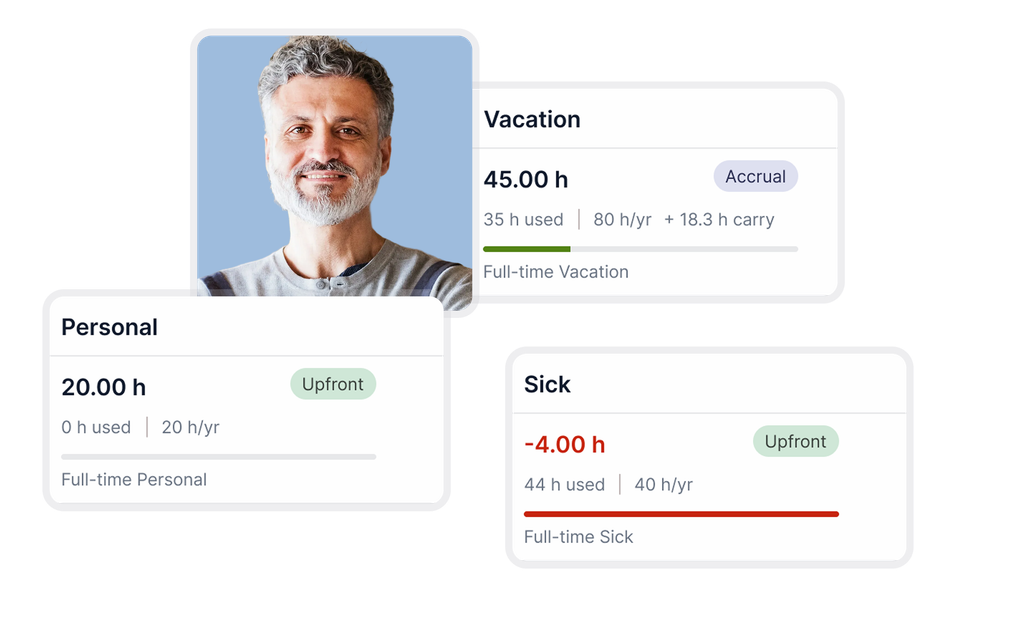
Time off balances
Keep vacation and paid time off (PTO) balances visible, so you can stay on top of your team’s time off.
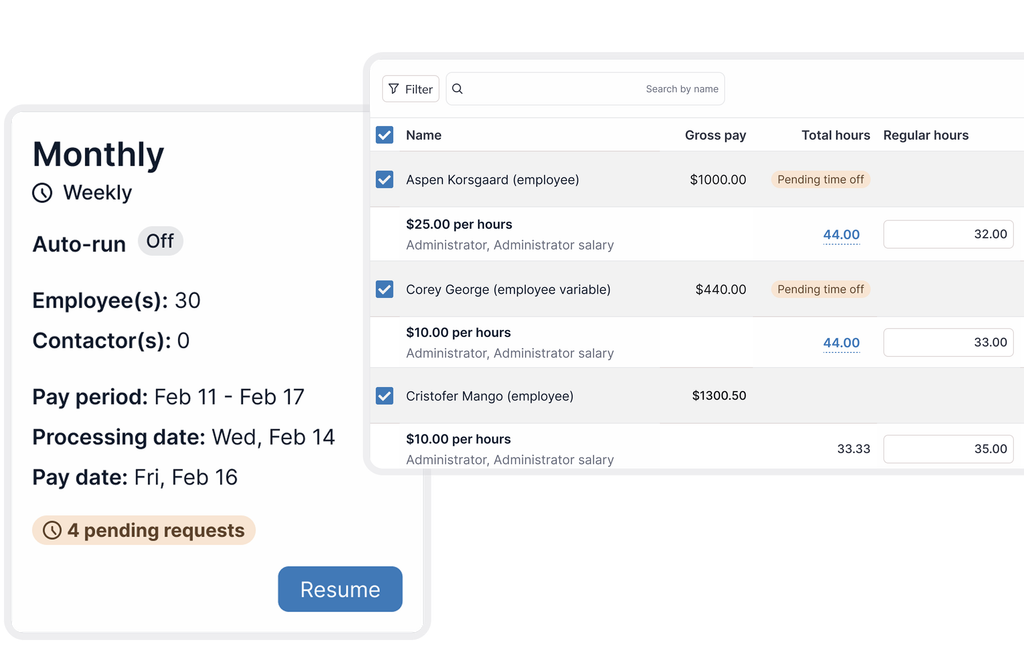
Automatic payroll sync
Approved hours flow through to payroll, so you can skip entering the same information twice.
Mobile and web
Give your team the flexibility to manage their time from the My Wagepoint app or the employee portal on any web-enabled device.
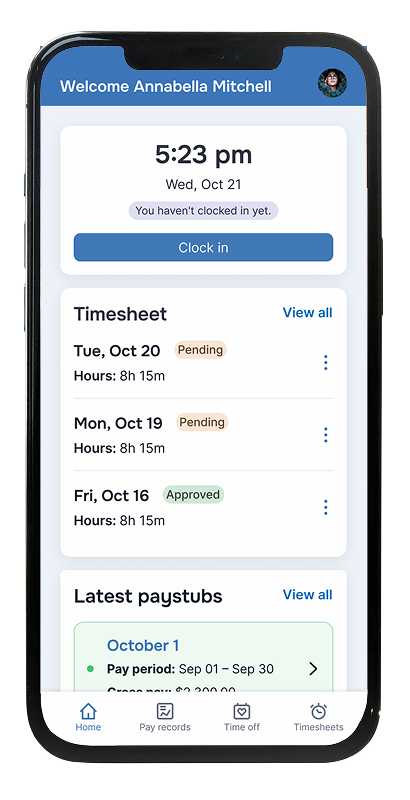
my Wagepoint
Hours in. Payroll out. Zero extra work.
No spreadsheets. No chasing timesheets. Just clean, accurate hours — ready for payroll. With the My Wagepoint app, your team can add time entries and access paystubs in one place. Those hours flow straight into payroll, so you can run it faster, with fewer errors and less admin work.


Customer stories
Cool companies. Cooler customers.
Thousands of Canadian small businesses, bookkeepers, and accountants choose Wagepoint every payday.


"Wagepoint has been a game-changer for our payroll. It’s intuitive, easy to use, and it turned what I expected to be a time-consuming admin task into something quick and painless. On top of that, their customer service is consistently responsive, helpful, and reliable — exactly what you want in a payroll platform."


"In my business, I wear a lot of hats, and Wagepoint takes payroll off my day-to-day list. My strength is renovation and construction, not business administration. I truly love having Wagepoint handle payroll for us. In fact, when I was looking for a payroll solution, my accountant recommended Wagepoint because it’s the same platform she uses. People you trust use businesses you can trust."


"Running an electrical business means juggling crews, schedules, and deadlines, so payroll needs to be simple and dependable. Wagepoint makes it easy to pay our team accurately and on time, without adding extra admin to our week. It gives us confidence that everything’s handled properly, so we can stay focused on delivering great work for our customers instead of worrying about payroll"


"Wagepoint makes payroll simple and stress-free for me as an admin team of one without a bookkeeping background. It’s intuitive, reliable, and lets me focus on crafting our products instead of managing payroll."


"Thanks to Wagepoint’s simple app — and especially their ultra-efficient customer support — we’re able to offer our customers a truly worry-free payroll experience."


"Wagepoint’s superb customer service and economical pricing sets them apart from their competitors. I would say that serving small businesses is their strength."


"Running a startup means juggling a million responsibilities, and in the early days, reducing friction isn’t just helpful, it’s essential. Working with Wagepoint was a genuinely welcome experience. At every step, the team made payroll feel easy, smooth, and stress-free. We’re really grateful. "


"As a growing Canadian business, we need payroll to be something we don’t have to think twice about, and Wagepoint delivers. It’s easy to use, reliable, and gives us confidence that our people are paid accurately and on time, every time."


"After switching to Wagepoint, running payroll, even with vacation pay, takes 15 minutes max, even though we now have twice as many employees as we did with our old service."


"Having had no payroll experience before, I expected I’d need to do calculations myself, but I was pleasantly surprised by how easy the process was. The screen prompts were clear and accurate — I only had to enter the hours worked for each person, and Wagepoint took care of everything else."
Integrations
We play well with your favourite apps
Wagepoint integrates with Xero, QuickBooks Online, and FreshBooks to keep your payroll and accounting aligned. Spend less time on manual data entry, reduce errors, and run payroll with confidence using software that fits right into how you already work.






FAQs
Got time and absence
management questions?
Wagepoint makes it easy to collect, review, and approve your team’s hours. Employees can enter their own hours through the employee portal or My Wagepoint app, or an administrator can enter them. Once hours are approved, they’re ready to use in payroll.
Yes. With clock in/out, employees can record their hours using the My Wagepoint mobile app by clocking in when they start work and clocking out when they finish. It’s an easy way to track time worked and keep hours organized for payroll.
Yes. Approved regular and overtime hours appear in the payroll workflow, so you don’t have to re-enter approved timesheet hours manually. You can review the hours as part of your regular payroll process and make adjustments if needed.
Yes. Employees can submit time-off requests through the employee portal or My Wagepoint app. You can review requests in one place, then approve, edit, or reject them as needed.
Yes. Wagepoint gives you a central place to review time-off requests and see their status, along with your team’s current time-off plan balances. You can also assign time-off policies to employees and manage requests as your team’s needs change.
Yes. Wagepoint supports overtime calculations through assigned overtime rules. You can use the included provincial and territorial rules or create custom rules to suit your needs.