
Today’s market features a number of payroll software pricing models. No matter what kind of business owner you are, knowing the different options and how much payroll software costs is the best way to avoid surprise additional expenses.
Different payroll software providers also offer different pricing models. Luckily, Wagepoint provides a handy quote generator so you can get a sense of what each pay run costs before you commit.
Nonetheless, here are the common pricing models to be on the lookout for.
Payroll software pricing models

1. Pay per employee model
Some payroll software charges based on the number of employees or contractors you pay. This model often suits smaller teams.
With this model, you’ll typically only be charged for the employees or contractors that were paid on a pay run for the billing period rather than your entire employee base. So, if you have 50 on your team, but only ran payroll for 20 of them within that billing period, the per employee fee would be put against those 20.
One thing to be mindful of is whether the payroll costs are per employee or for a certain amount of employees. As an example, a software might have a model where the price tiers look like: X-amount of dollars for 1-50 employees, then X-amount of dollars for 51+ employees, and so on.
This can be especially important if your business is growing quickly because the addition of just a few people could push your overall costs up by a more substantial amount than a regular pay per employee model.
2. Pay per pay run model
With this model, you’re charged based on how often you run payroll. That can work well if you pay monthly. If you pay weekly or bi-weekly, the cost goes up because you run payroll more often.
How often you pay matters here. If different groups of employees are on different pay schedules, each schedule adds its own pay runs, and the count can climb quickly.
Some providers combine this model with per-employee pricing. In that case, you’d pay a fee for each pay run plus a fee for each employee paid during the billing period.
3. Subscription-based software
With a subscription-based pricing model, you pay a recurring monthly or annual fee for access to their software. Some providers charge only the subscription fee. Others combine it with per-employee pricing.
With the combined model, there’s a base fee (the subscription), a per-employee cost, and sometimes other fees for setup or for access to additional features. Always read the fine print to see what’s included and what’s extra.
Many well-known providers, like Wagepoint and QuickBooks Online Payroll, use the subscription plus per-employee fee model.
Factors influencing payroll software costs
According to People Managing People, payroll software in Canada ranges from $20 to $70 per month for the base fee, plus $2 to $6 per employee per month, depending on the plan. Your actual cost can also depend on how often you run payroll and which features are included.
That may sound like a lot. Hiring someone to run payroll or outsourcing it to a full-service provider will cost more, though, so software is often the more affordable option for small businesses.
When you compare pricing, it helps to know what goes into the cost, especially when features are listed as add-ons for an extra fee.
Automatic payroll calculations
Most payroll software includes automated calculation of employee wages and payroll tax deductions as a core part of the product. This is one of the biggest time-savers that many feel makes the cost of payroll software worth it. Not only does it mean not having to do the complicated calculations yourself, but that freed up time means you can spend more time on your business or work toward better work-life balance.
After moving to Wagepoint running payroll, even when there is vacation pay involved, payroll takes 15 minutes max for now twice as many employees as we had when with our old service.
— Kevin M, Business Manager at an architecture and design firm
Payroll compliance
Many payroll systems will include the annual payroll tax tables in the automatic payroll calculations. However, there could be extra costs for taking the next steps of payroll compliance directly with the software. Examples of this can include:
- Producing and filing year-end T4,T4A and RL1 forms
- Producing and filing Records of Employment (ROE)
- Filing and remitting provincial and federal payroll taxes throughout the year
- Calculating and remitting workers compensation
Employee location
With more teams spread across the country, check whether a payroll provider supports every province and territory where your employees work. Payroll rules and taxes aren’t the same everywhere.
Quebec is the clearest example. Employers deduct Quebec Pension Plan (QPP) contributions instead of CPP, pay Employment Insurance (EI) at a reduced rate along with Quebec Parental Insurance Plan (QPIP) premiums, and remit provincial income tax to Revenu Québec separately from the CRA.
Location matters for hybrid and remote teams too. Payroll deductions are based on an employee’s province of employment (POE), not where they live, and the two aren’t always the same. POE is generally where the employee reports for work, which can get complicated when the employer doesn’t have a physical location. Look for software that tracks work location separately from home address, so deductions are calculated correctly according to provincial employment standards.
Employee self-service portal
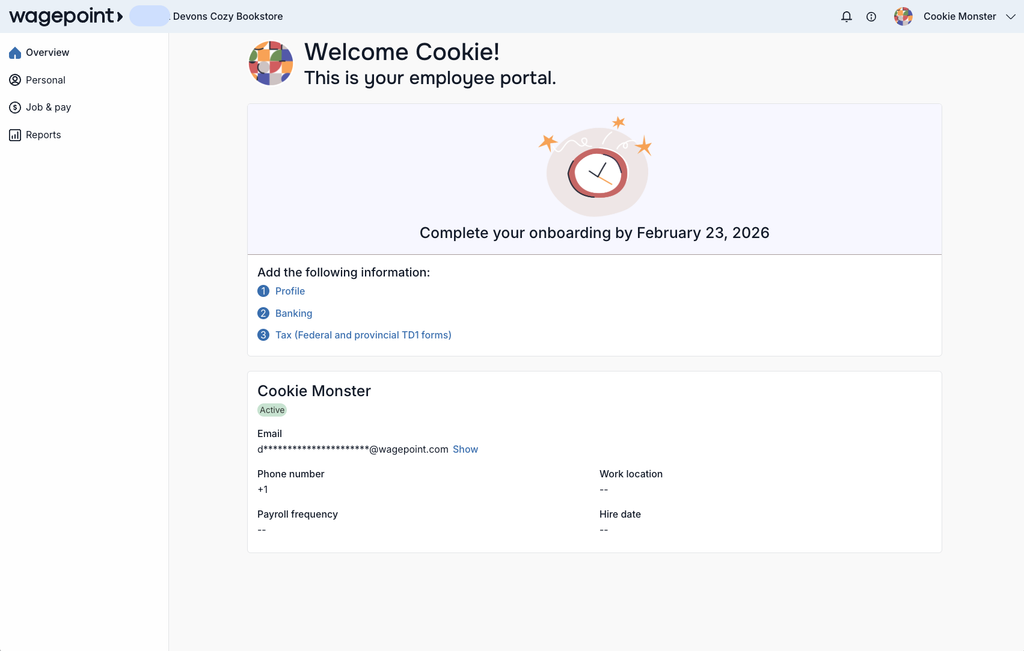
This is another feature that’s usually a gimme with payroll software. It gives your team the access to see their pay stubs, a breakdown of their payroll details and more depending on the provider. It can usually be accessed through browser or mobile app. This is a great way for your employees to take ownership of their payroll data apart from just receiving their pay cheque each pay period.
Timesheets and time tracking
If you pay hourly employees, you’ll also need a way to track their hours. Some payroll providers include timesheets in their plans. Others sell time tracking as a paid add-on or expect you to use a separate tool, which adds another fee and another system to keep in sync.
When you compare pricing, check whether timesheets are included, whether employees can submit hours from their phones, and whether approved hours go straight into payroll or have to be re-entered by hand.
Wagepoint, for example, includes Timesheets and the My Wagepoint mobile app in its plans, so approved hours flow directly into payroll.
“Additional services” and “add-ons”
You may also find that some providers charge added fees for anything but the most basic payroll features. This customized solution approach may be great for meeting your unique payroll needs. However, you’ll want to keep total cost in mind when looking software that lists some things as advanced features.
Standard tasks, like calculating deductions, are usually included. Some providers charge extra for correcting payroll errors, paying by direct deposit, remitting payments to the government, or same-day processing.
Hidden costs
Some providers charge fees you won’t see until the invoice arrives. They usually come from tasks you’d expect to be part of running payroll from start to finish.
You don’t need a provider that does absolutely everything, since that may not fit your budget or your needs. But your provider should be upfront about what you get for your money.
In short, your payroll software pricing should be an open book, without any extra hidden costs.
Final thoughts on payroll software pricing
In a lot of cases, payroll software providers have offerings that are a mix of some (or all) of the above pricing plans. This can work very well for small businesses. But be sure to opt for something where all the relevant information is crystal clear upfront and your specific needs are met.
Also take advantage of payroll software that offers a free trial period before you commit. This can help you see what features are available, if they fit your needs and even ask questions of support before ever spending a dime.
Remember, the best payroll software is one that doesn’t just save you time. It helps you to stay legislatively compliant, gives you insight into exactly what’s happening with your business finances and meets your unique business requirements.
In other words, it helps make payroll processing easier than ever.
Wagepoint: Priced with small business in mind
Wagepoint’s pricing is simple and upfront: a monthly base fee plus a per-employee fee, with plans built around how your business runs payroll. You’ll know what’s included before you sign up, with no surprises on your invoice.
See Wagepoint’s plans and pricing to find the right fit for your business.
Interested in learning more about Wagepoint’s payroll solution? Get started with a 14-day free trial.
FAQ
What is payroll software?
Payroll software is any on-premises or cloud-based software solution that gives you hands-on management of the payroll process. It also helps you deal with complex calculations (like benefits deductions) and stay tax compliant.
What payroll software doesn’t do is completely remove payroll from your to-do list. While it lightens your administration load in the long-run, you still have to enter the data. It’s a lot simpler and a reliable way to ensure an accurate payroll. But it’s not the same as outsourcing to a payroll service.
What alternatives are there to payroll software?
Alternatives to payroll software include having someone that processes payroll in-house for you, outsourcing to accountants or bookkeepers and full-service payroll providers.
Does business size matter when choosing payroll software?
Yes. If you have a small business, payroll software that’s geared more toward medium-sized businesses or large companies, it could have features that you don’t need. It’s better to look for a software geared toward small businesses. That way, you’re only paying for the tools you’ll need for processing payroll.
What payment options does payroll software have?
Each payroll software company will have different payment options. Paying by credit card is a common option, although some also have a direct debit option.
Is payroll software secure?
Reputable providers take security seriously, using measures like two-factor authentication, data encryption, and regular security reviews. Before you choose one, ask how they protect your business and employee data and how they meet Canadian privacy requirements, such as PIPEDA.